COLD CALL COACH
An AI cold calling assistant that gets you past the gatekeeper
Call straight from your browser while bizvoid listens live, navigates whoever picks up, and coaches your next line in the tone you picked. When a price or an appointment time gets said out loud, it's caught automatically, ready to drop into your pipeline or a shareable booking calendar.
Watch: getting past the gatekeeper on cold calls (1 min)
How a coached call works
1.Set a goal and a tone, then call
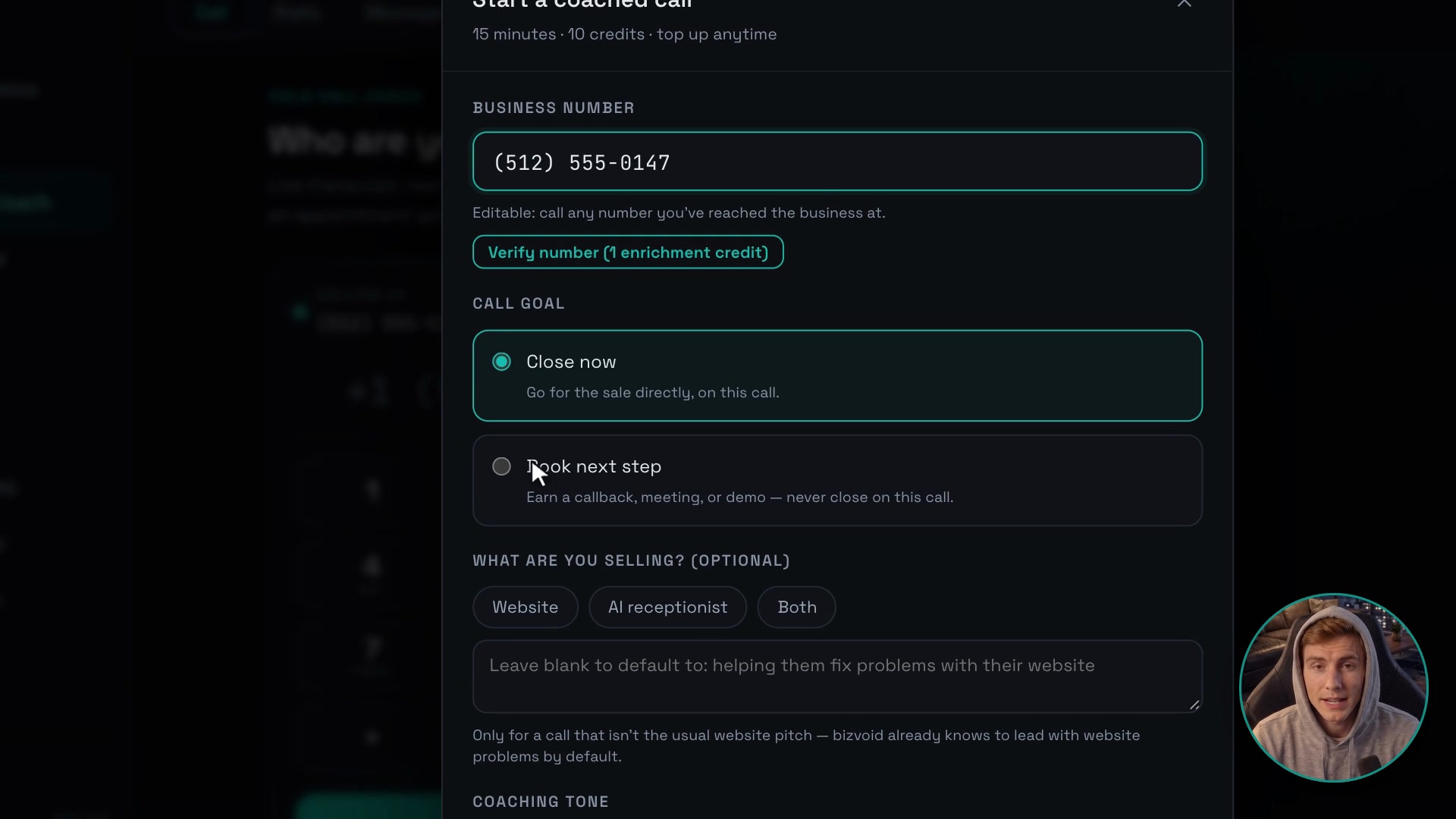
Enter the number, pick a call goal (book a next step, or close on this call) and a tone: Sales pitch, Persuasive, Kind, Direct, Consultative, Friendly, or write your own custom instruction. Then call straight from your browser, no phone needed.
2.bizvoid gets you past the gatekeeper
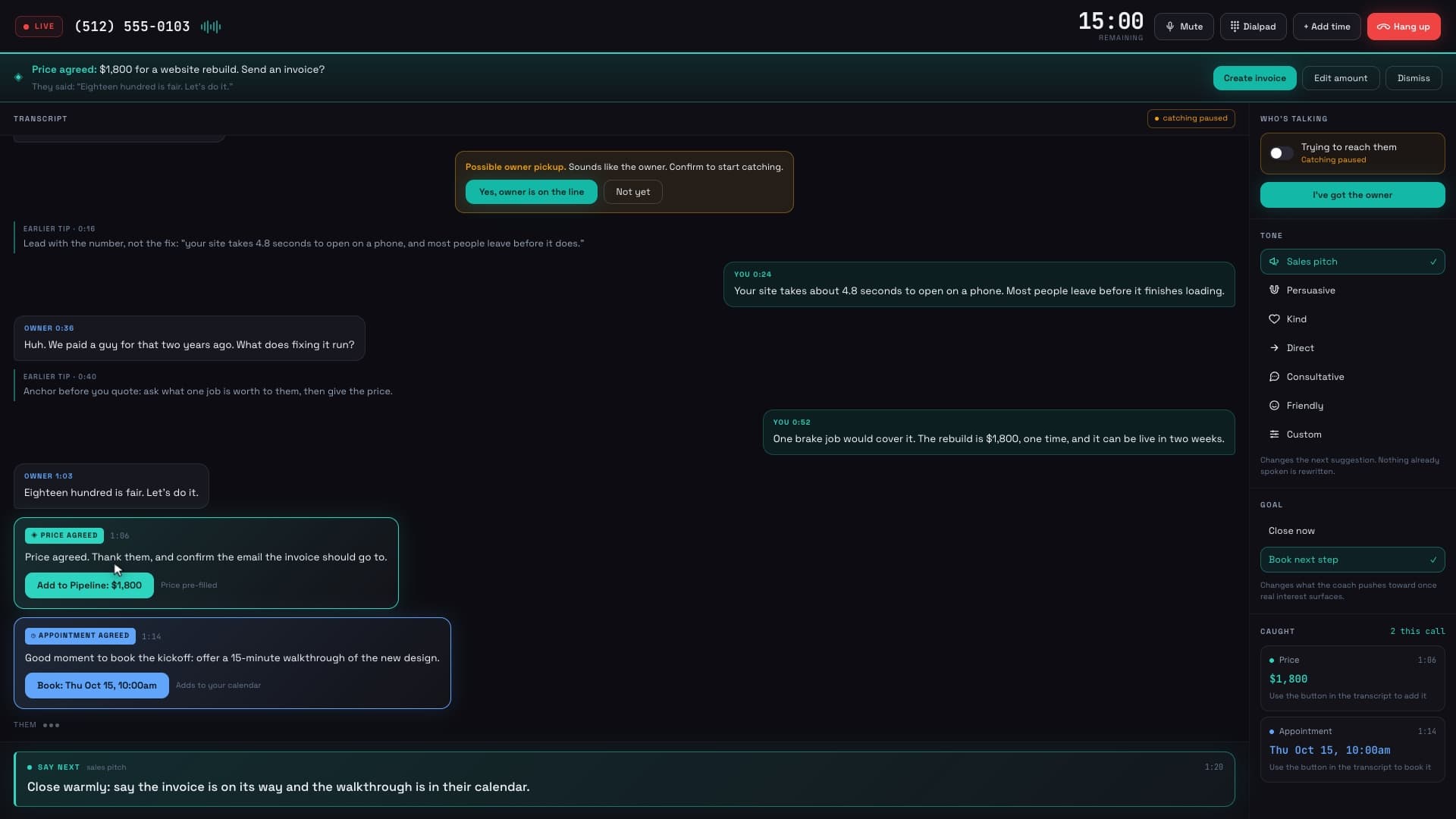
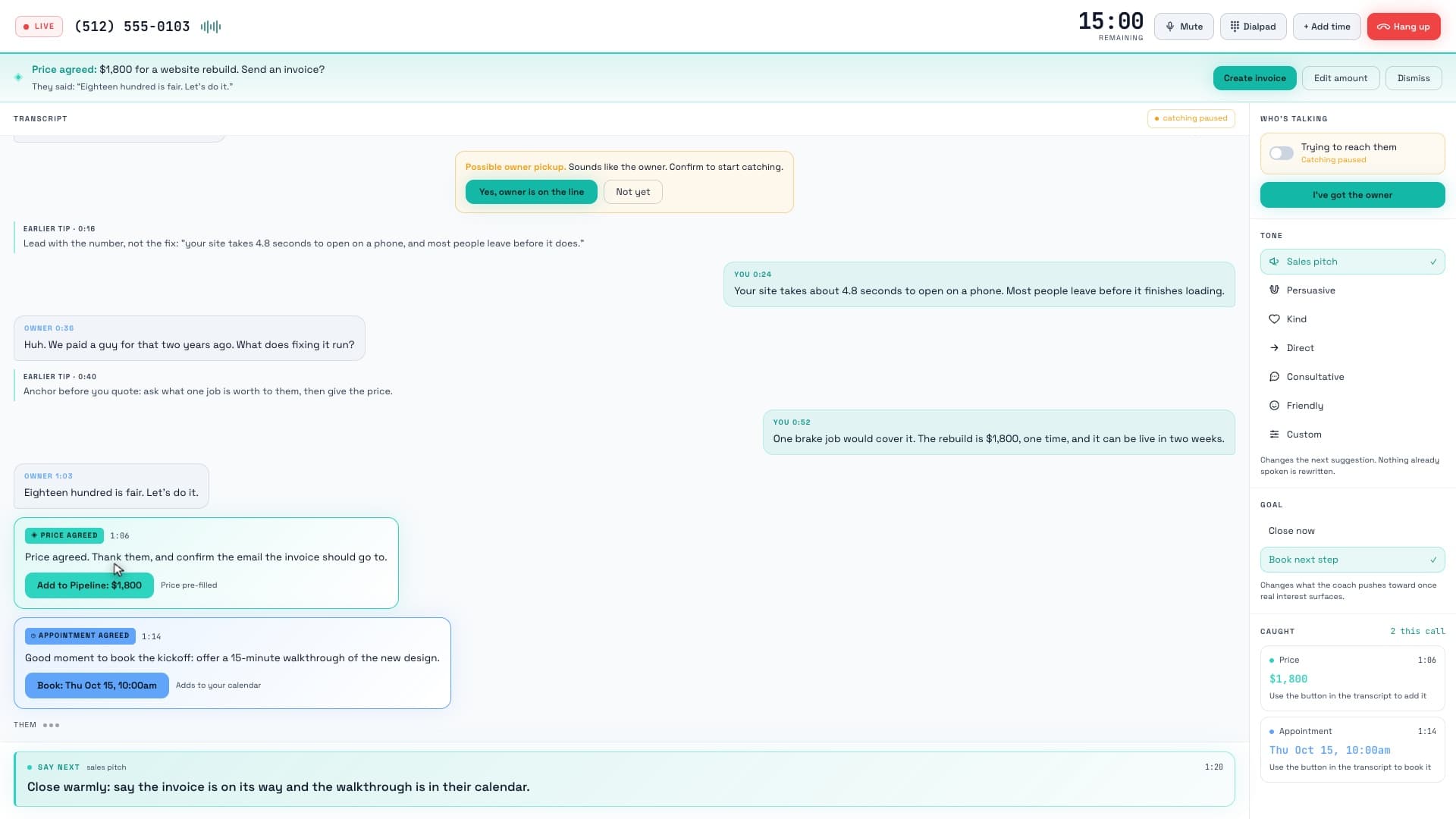
It listens for whoever picks up and navigates a gatekeeper on its own. Price and appointment catching stays off until it's confirmed you're through to the real decision-maker, and if it hears a likely owner pickup it prompts you to confirm before switching modes.
3.Live transcript, live coaching
A running transcript shows both sides of the call in real time, with a "say next" suggestion in your chosen tone after each thing they say. A dialpad sends real touch-tones for automated menus, and mute, add-time, and hang-up controls stay one click away.
4.A price or a date gets caught automatically
The moment a price or a meeting time is said out loud, it surfaces as its own card in the transcript: "Add to Pipeline" writes a real deal, "Book" writes a real calendar appointment. Nothing is recorded until you tap to confirm it.
What makes it different
Coaches the call, does not script it
Every suggested line reacts to what was actually just said, in whichever of the 6 tones you picked (or a custom instruction you wrote), so the call still sounds like you and not a script being read.
Tells a gatekeeper from the owner
Catching a price or a booking stays paused while you're working through a receptionist or assistant, so a gatekeeper's polite "sure, sounds good" never gets logged as a closed deal. Flip a toggle, or confirm bizvoid's own detection, once the real decision-maker is on the line.
What gets said becomes a real record
Tapping "Add to Pipeline" or "Book" on a caught price or appointment writes an actual row: a pipeline deal or a calendar appointment, not just a checkmark on the screen. Tap again to undo it.
A calendar built for the same workflow
The Pipeline > Calendar tab shows Day, Week, and Month views color-coded by where each appointment came from (a call, the pipeline, or personal), and lets you drag an unscheduled won deal straight onto an open slot.
A booking link the business can use themselves
Set your bookable hours once (with a buffer, minimum notice, and a daily cap if you want them) and share your link. Anyone who opens it books a real open slot in their own time zone, confirms with name and phone, and can add the meeting straight to their own calendar.
One link per rep, one shared calendar
Each team member's copy of the booking link carries their own attribution, so a booking made through it is credited to whoever shared it, while every booking still lands on the one shared calendar.
Texting your leads and customers
Your dedicated number is yours to give out however you already reach leads and customers: on your website, on signage, on a business card, or in an ad. When you do, tell people up front that texting it means they'll get a text back — here's the exact language every bizvoid customer is instructed to use:
Example: what a bizvoid customer displays
“Text us at [your bizvoid number] for a fast quote — by texting this number, you agree to receive SMS text messages from us about your inquiry. Msg & data rates may apply. Reply STOP to opt out anytime.”
FAQ
How do my leads and customers consent to receiving texts from my dedicated number?
Someone only ever receives a text from your dedicated number if they contacted it first, by calling or texting it themselves — a reply is a direct response to a conversation they started, never an unsolicited message. When you give your dedicated number out (on your own site, signage, business card, or ads), use consent language like the example above so it is explicit up front: "Text us at [your bizvoid number] for a fast quote — by texting this number, you agree to receive SMS text messages from us about your inquiry. Msg & data rates may apply. Reply STOP to opt out anytime." Anyone can opt out at any time by replying STOP.
What is bizvoid's Cold Call Coach?
It is a live AI calling assistant you use straight from your browser: pick a call goal and a tone, dial, and bizvoid listens to the live call, navigates a gatekeeper, and suggests your next line in real time.
How does it tell a gatekeeper from the actual decision-maker?
Catching stays paused by default while you're marked as trying to reach the owner. bizvoid also listens for signs the owner may have picked up and prompts you to confirm; only your confirmation (or your own manual toggle) switches catching on.
What happens when a price or an appointment time gets said on the call?
It appears as its own card in the live transcript. A caught price gets an "Add to Pipeline" button that writes a real deal; a caught appointment gets a "Book" button that writes a real calendar appointment. Both are undo-able with one more tap.
What tones can I use?
Six built-in tones: Sales pitch, Persuasive, Kind, Direct, Consultative, and Friendly, plus a Custom option where you write your own instruction for how it should sound.
Which plans include Cold Call Coach, and what does a call cost?
Starter, Pro and Agency. A call uses 10 insight credits for 15 minutes, from the same monthly credits as audits and pitches (up to 15, 60 or 180 calls a month). A call nobody picks up (no answer, busy, failed, or you hang up before it rings) gives its credits back; a call answered by a person or by voicemail is charged.
Do I need a phone or a phone number?
No phone: calls run in your browser with your microphone. You do need a caller ID: verify your own number (the first one is free) or get a bizvoid number for $8/mo (US and Canada).
Can I run out of time mid-call?
Each call starts with 15 minutes. If it is going well, add 10 minutes at a time (1 credit a minute), up to 90 minutes in total, so a live conversation is never cut off without warning.
What is the shareable booking calendar?
It's the same calendar your booked appointments land on, but with a public link attached. Set your bookable hours, share the link, and anyone who opens it sees your real open slots and books one directly, no back-and-forth over email or text.
Can a business book itself without talking to anyone?
Yes. The public booking page shows open times in the visitor's own time zone, takes a name and phone number (email optional), and confirms the booking immediately, including an option to add it straight to their own calendar app.
Make your next cold call a coached one
Coached calls come with Starter, Pro and Agency, right from your browser.
Get started →